
Google Drive for Project Management
Submitted by system on
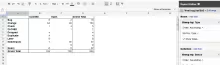
This post highlights the important features Google has brought into it's Drive tool (formerly Google Docs and Spreadsheets) which has made online collaboration easier than before and enabled the use of Spreadsheets as a serious project management tool. Without going into obvious features, what I would like to highlight is the fact that Google Drive not supports Pivoted spreadsheets. This means that while you maintain your raw data, you can also auto generate elegant status reports with all the power of pivots. An example report for one of my active project is here:

Inspecting Objects: Simple Trick

Submitted by amitsedai on
How often have you felt the need to display a PHP Object in a readable manner? We are all very familiar with the use of the print_r() function. However, print_r() gives a difficult to read output and we end up matching braces to figure out the exact structure of complex objects. Here is a small trick which you can use to see the print_r() output in a 'Display for Humans' format. echo '
';
print_r($object);
echo '
';

Let's see an example(borrowed from PHP.net):

<?php

Creating a Drupal 7 Node Programmatically

Submitted by amitsedai on
<?php
/**
* Basic Node Creation Example for Drupal 7
*
* This example:
* - Assumes a standard Drupal 7 installation
* - Does not verify that the field values are correct
*/
$body_text = 'This is the body text I want entered with the node.';

$node = new stdClass();
$node->type = 'article';
node_object_prepare($node); //Creates default settings for the node of a type
$node->title = 'Node Created Programmatically on ' . date('c');
$node->language = LANGUAGE_NONE; //String constant value for "und"

/* If u have body text do the following below

Add Sites to search in Apache Multicore Configurations

Submitted by amitsedai on
Solr is the popular, blazing fast open source enterprise search platform from the Apache Lucene project. Its major features include powerful full-text search, hit highlighting, faceted search, dynamic clustering, database integration, rich document (e.g., Word, PDF) handling, and geospatial search. Solr is highly scalable, providing distributed search and index replication, and it powers the search and navigation features of many of the world's largest internet sites. -- Source: http://lucene.apache.org/solr/

Dates using PHP

Submitted by amitsedai on
Time and again date parsing issue comes up and I find myself looking all over the net for finding ways to do the same. This post is created to compile all such ways as I encounter: Parsing Dates If your date format is: yyyy-mm-dd, you can simply use strtotime and date function to get the desired date format $data[] = date( 'd-m-Y', strtotime('2012-03-21')); //get the format as 21-03-2012
Get Dates Using Strotime strtotime can recognize certain keywords. <?php echo strtotime('now'); echo strtotime('+4 days');

Extract Result Data From Drupal View

Submitted by amitsedai on
The code to do the trick is provided below: <?php
$view = views_get_view('view_name');
$view->init();
$view->set_display('default'); // or display id like page_1, block_1
//$view->set_arguments(array('arg_data'));
//$view->set_arguments(array(arg(0),'arg_data2')); // 2nd Argument
$view->pre_execute();
$view->execute();
//print_r($view->result);
drupal_set_message("Field data value: ".$view->result[0]->node_data_field_as_it_appears_in_views_query_sql);
?>

Update for Drupal 7: <?php

RSync file transfer on a different port

Submitted by amitsedai on
To transfer file to a different port using RSync: rsync -avz --progress --rsh='ssh -p1516' source user@host:destDir/
rsync -avz -e "ssh -p $portNumber" user@remoteip:/path/to/files/ /local/path/
The source can be a file or a directory to be copied to the destination directory --source: http://www.linuxquestions.org/questions/linux-software-2/rsync-ssh-on-different-port-448112/ http://mike-hostetler.com/blog/2007/12/08/rsync-non-standard-ssh-port/

How to check if an image is present in the site or not

Submitted by amitsedai on
You might want to display an image if the image is present or a template image if it does not exist. There are various ways of doing the same from client side using JavaScript or from server end. The below example provides another way to check if the image file exists, if so display the image in HTML generated or display the template HTML in Drupal <?php if(file_exists($relative_file_path_in_server)){ $image_url= " < img src=".$base_url."/".$relative_file_path_in_server.">"; }else{

Understanding Server Bottlenecks

Submitted by amitsedai on
If the server becomes slow or unresponsive, execute the top command. The first thing to look is the load average. The load average typically looks like this: load average: 0.49, 0.41, 0.35 . The first number represents the server load average currently, the 2nd number for load average 5 minutes ago and 3rd number for 15 minutes ago. if you have 1 CPU and the load average is 1, it means that the server has been busy constantly. Four 4 core machine if the average is 4, then all cores are busy.

Apache Benchmarking

Submitted by amitsedai on
Apache benchmarking is a tool used for benchmarking apache based websites. The syntax for anonymous users: ab -c no_of_concurrent_users -n no_of_requests_per_user URL To capture the benchmarking information for authenticated users, we need to capture the cookie information for any authenticated user from the browser and provide it in a name=pair cookie value in the command ab -c no_of_concurrent_users -n no_of_requests_per_user -C cookie_name=cookie_value URL The data we are interested in looking for benchmarking is: